An Android terminal that runs Linux without root and drives the phone from the shell
Pick Alpine, Ubuntu, Arch or Kali and run it. Around 20 z2-* commands expose notifications, the clipboard, sensors and the torch to the shell, and rules registered with z2-when start scripts when charging, the clock or Wi-Fi changes. A Linux desktop, and a remote one over VNC or RDP, open in the same row of tabs as the shell.
One APK · no PC needed · not on Google Play
~ $ z2help
What it does
All of it ships in the one APK. There is no companion app and no setup script.
01Linux distributions
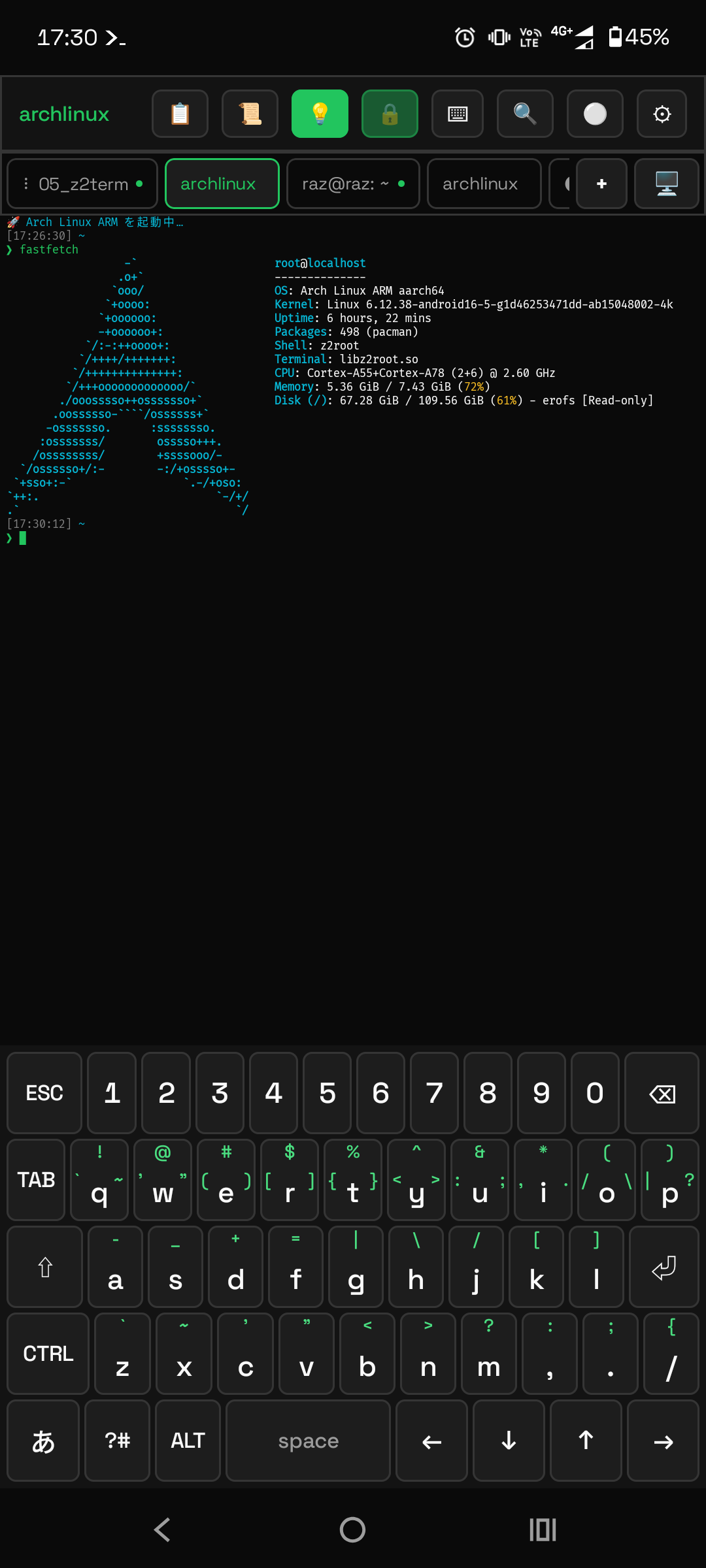
Install the APK and apk / apt / pacman work. The execution
engine z2root is a ptrace-based userspace implementation written for this app, so it needs
neither root nor a kernel module. Pick Alpine, Ubuntu, Arch or Kali in Settings, and change it
later if you want.
02z2-* commands
Around 20 commands reach the device itself: notifications, toasts, the clipboard, sensors, the
torch, volume, intents, alarms, text-to-speech, keeping the screen on, sharing, and wireless
adb to this same phone. They are ordinary commands, so anything that can call a
command can use them.
03Asking through a notification
name=$(z2-ask "Branch name?") puts the question in the notification shade and reads
the reply back into a shell variable. You can answer without opening the app, and dismissing it
without answering exits non-zero.
04z2-when
Charging, battery level, clock and cron, Wi-Fi, connectivity, boot, a share from another app, an
incoming SMS, sensors, an arriving notification, a new file in a folder. Any of these can start a
script. Rules are plain text under ~/.z2term/when/ and survive closing the app and
rebooting the device.
05GUI tabs
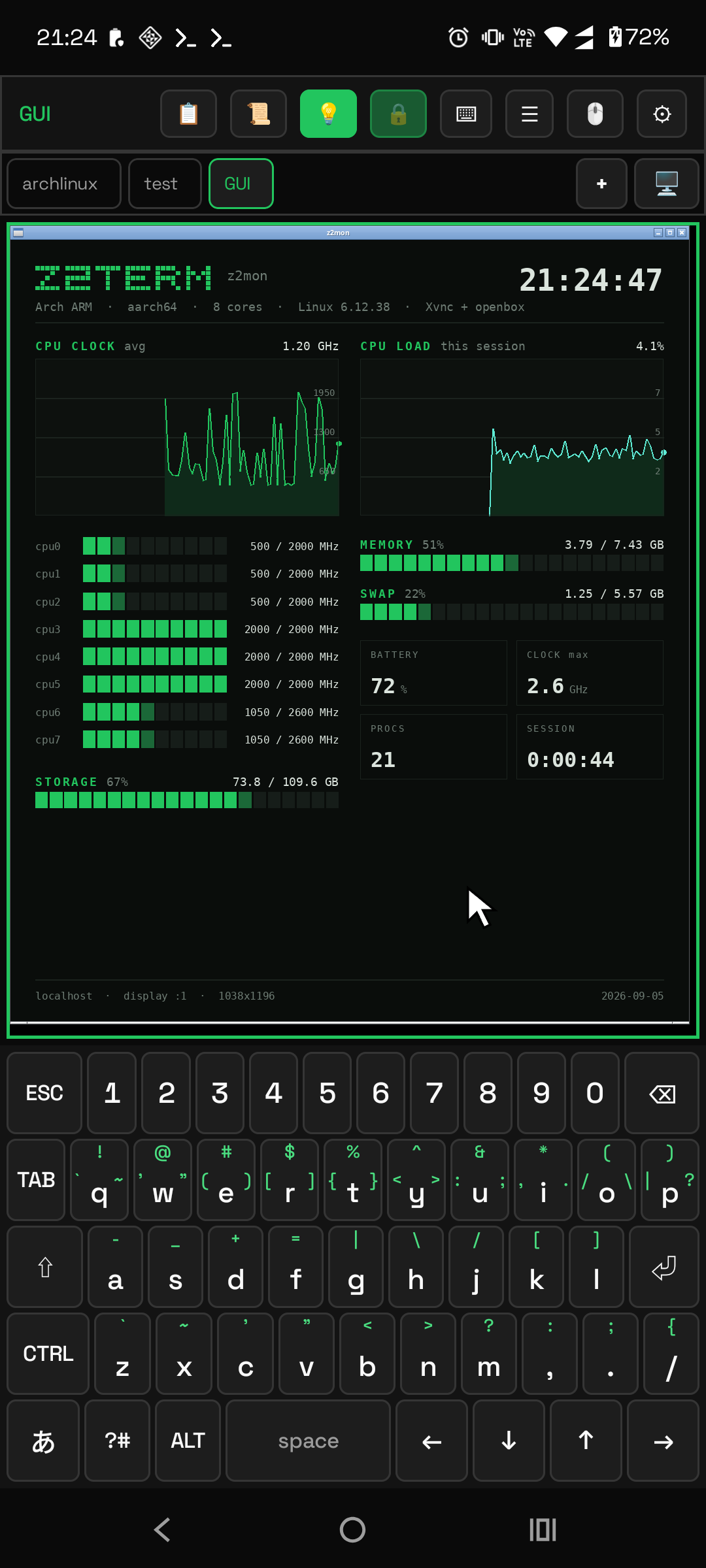
Xvnc and openbox, drawn by the RFB client built into the app, with audio and video.
z2gui starts the desktop; z2run <app> starts one GUI program and
opens its tab.
06VNC / RDP
The same viewer connects to remote machines. RFB 3.3–3.8, None and VNC password authentication. RDP covers NLA, the first-connection certificate check, mouse and keyboard, audio, and text clipboard sharing. Saved hosts get [VNC] and [RDP] buttons.
07File transfer
SSH / SFTP, FTP, WebDAV and SMB2/3 clients. By default each one rides a temporary SSH port
forward, so credentials never cross the network in the clear. Keys are ed25519 held by the
Android Keystore, and -L / -R forwards keep running after their tab
is closed.
08Background servers
Register a start command under Settings → Background servers and it keeps running without the app being open, and comes back after a reboot. A small web server or a sync daemon can simply live on the phone.
09Tiles and widgets
Macros can be assigned to Quick Settings tiles (12 slots) and to a home screen widget. The status
bar icon can be replaced with a 24×24 pixel drawing. A second widget keeps showing the tail of a
file under ~.
10USB devices
z2-usb list shows the devices and z2-usb allow obtains Android's
permission, after which programs that use libusb or /dev/bus/usb/… open the device
unmodified. All you need is an OTG adapter or hub that carries data.
11z2doctor
One command reports the version, engine, free space, required permissions, and the state of
detection and automation. Each NG line carries the fix, and it ends with a short
report you can paste into an issue.
~ $ ls ~/.z2term/macros/
Macros
A macro is a shell script in ~/.z2term/macros/. There is no dedicated
language to learn. Register one with z2-when and it runs with the app closed.
What one line buys you
z2-when charge:start run ~/.z2term/macros/backup.sh
The phone charges overnight and the backup is done by morning.
z2-when notify:otp run ~/.z2term/macros/otp.sh
The code is extracted and put on the clipboard.
z2-ask "Deploy to prod?"
The script waits in the notification shade. No answer stops it.
z2-when net:online if=ssid=Home cooldown=1h run ~/.z2term/macros/sync.sh
Filters are written the same way on every trigger, and skipped runs stay in the log.
z2-when share:ext=pdf run ~/.z2term/macros/pdf.sh
Share a PDF to Z2Term and a script handles it.
z2-tile set 1 vpn.sh -l VPN
Quick Settings, one tap, without opening the app. Twelve slots.
z2-icon set 1 ~/pixel/rocket.txt
The status bar icon becomes a 24×24 drawing of your own.
z2-say "build finished"
Text-to-speech from a shell script, even with the screen off.
z2-when file:new=/sdcard/Download run ~/.z2term/macros/sort.sh
Rename, convert or forward whatever lands there.
widget → pick a macro
One tap runs it in the background; tap again to stop it.
z2-server start web
A web server that survives closing the app and rebooting the phone.
z2-session attach 2
A macro that types into another tab: automating the terminal itself.
~ $ z2run xterm
A desktop in a tab
The GUI tab is not a separate viewer app. It is an RFB client inside Z2Term, so a Linux desktop and a remote machine both land in the same tab strip as your shells.
localXvnc + openbox
z2gui brings up the desktop; z2run <app> starts a GUI program and
opens its tab. Audio and video are bridged as well.
vncConnecting to a VNC server
RFB 3.3 – 3.8, None or VNC-password authentication. Save a host once and it gets a [VNC] button next to it.
rdpConnecting to Windows over RDP
Network Level Authentication, a certificate check on first use, mouse and keyboard input, sound, and text clipboard sharing both ways. Saved hosts get an [RDP] button.
sshTunnelled by default
A remote desktop, like FTP, SMB and WebDAV, rides a temporary SSH local forward unless you explicitly opt out, and opting out warns you that the encryption goes with it.
~ $ z2-img screenshots/*.png
Screenshots
Taken on a real device.
 ~ $
~ $ ~ $ less HANDBOOK.md
Details
- terminal
- VT100 / xterm, 256-color and true color, 9 themes, scrollback with search, UTF-8 and East Asian Width, alternate screen, OSC 4 / 7 / 8 / 10 / 11 / 12 / 52.
- engine
- z2root is a ptrace-based userspace implementation written for this app, so it needs neither root nor a kernel module. Rooted devices may optionally use a chroot path.
- tabs
- CUI and GUI tabs, drag to reorder. An inactive tab shows a dot while something runs in it, and a ✓ when it finished while you were looking elsewhere.
- ssh
- Client and a built-in
sshd(localhost-only by default). ed25519 keys created in the app, secrets encrypted by the Android Keystore, known_hosts confirmation, and forwards that outlive the tab. - languages
- English, Japanese, Simplified and Traditional Chinese. Not only the app's screens but also
the
z2-*help text, usage lines and the messages printed to the terminal. - security
- App lock by fingerprint, face or screen lock, with the recent-apps thumbnail hidden while you
are away. Sessions and background servers keep running, so overnight work is not interrupted.
z2scan selfaudits this device with no external tools, and the result stays on the device. - data limit
- Once the whole phone's mobile usage for the period reaches the amount you set, Z2Term stops its own traffic. Wi-Fi and the local network keep working, and no other app is affected.
- backup
- Settings, hosts, snippets, automation rules, macros, themes, tiles, icons, dictionaries and keyboard learning move to another device as a single file, on a schedule if you want. SSH private keys are excluded by default; including them requires a passphrase and encrypts the whole file.
- terminal log
- Tap ⚪ to start writing what the tab shows to a text file in
~/z2term-log/; tap again to stop. Colors and control codes are stripped by default. - share & snippets
- Text shared from another app is inserted into the input line and never executed. Snippets are grouped into shelves, so the ones you use do not sink as the list grows.
- licence
- GPL-3.0. No telemetry, no account, no in-app purchase, and not distributed on Google Play.
~ $ ls -lh releases/latest/
Download
There is one APK. It bundles no operating system and no third-party prebuilts, so on first launch you pick a distribution under Settings › Linux environment. It is fetched from the official CDN and verified with SHA-256. That happens once; app updates do not re-download it.
Keeping it updated
in-appCheck for updates
Settings → App info → Check for updates. It contacts GitHub only when you tap the
button, downloads the new APK and takes you to the install screen. The last tap is yours,
because no app can replace itself silently. From the shell: z2-update.
autoObtainium
Add github.com/orgsonai/z2term to
Obtainium and it watches Releases, updating
with one tap when a new version appears. No store involved.
manualTap the APK
Download the new file from Releases and tap it. It installs over the existing copy and your data stays.
0.9.x is the release candidate for 1.0. Only bug fixes ship until then; the behaviour and the screens are not expected to change.